25+
Years of experience in entrepreneurship, business management, sales and marketing
500+
Hours of professional training given since 2014
600+
People trained in collaboration and management skills
50+
Client organizations from publicly traded companies and government agencies to startups, and nonprofits
Training: Generative AI in Your Tools — Get More From What You Already Have
Understand what your team is already paying for, close the gap with standalone tools, and stop leaving productivity on the table.
Summary
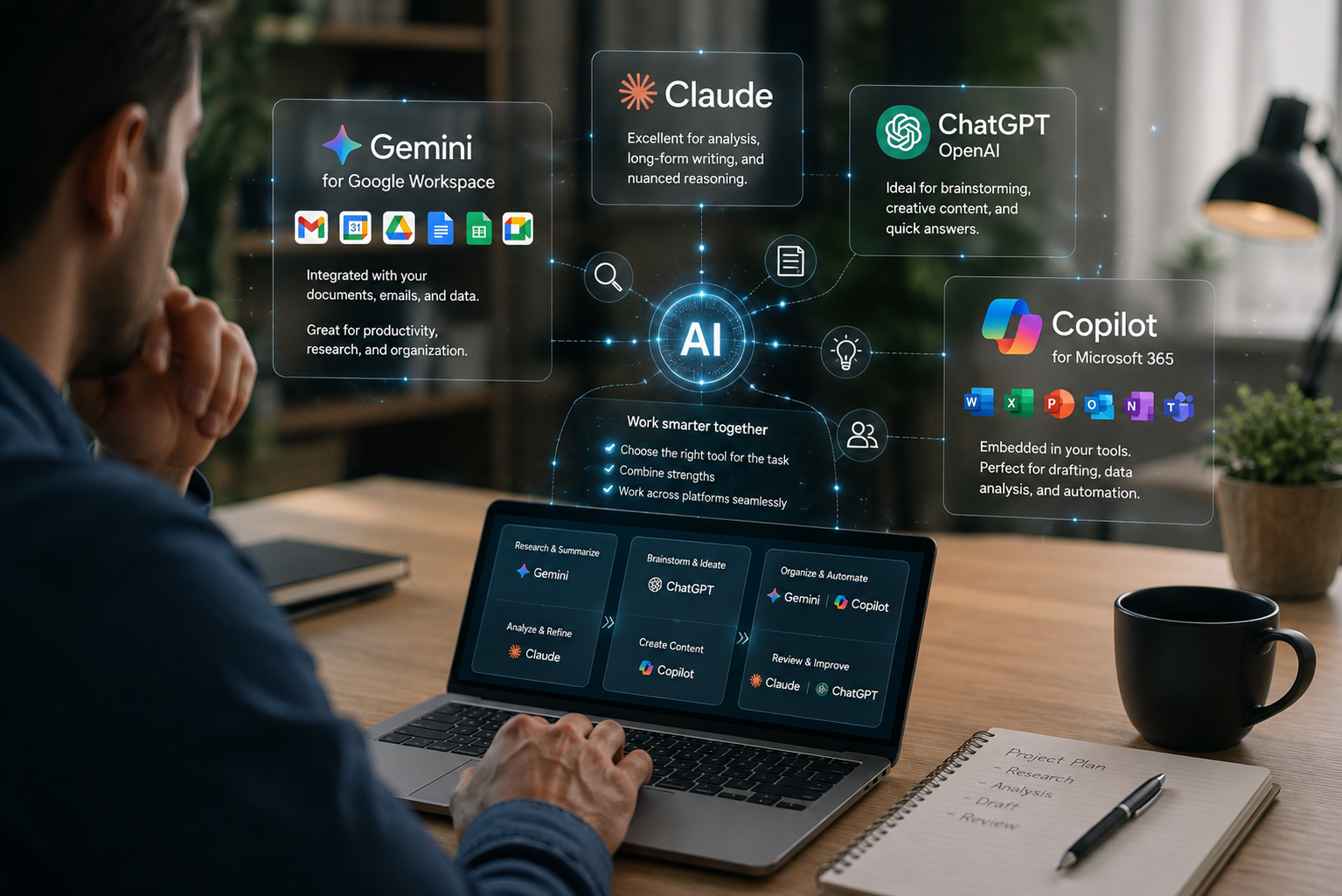
This interactive workshop helps participants get more out of the generative AI already built into the tools they use every day, such as Copilot for Microsoft 365 or Gemini for Google Workspace, and understand when a standalone tool like ChatGPT or Claude is the better choice. Most teams pay for these integrated tools and barely scratch the surface, missing out on tangible, everyday wins like building a graph or a complex pivot table directly in Excel, generating a first draft of a presentation from a template in PowerPoint, or drafting and correcting content right inside Word or Google Docs. Used well, these tools can save employees 3 to 8 hours a week on tasks they currently do manually or recreate from scratch across disconnected tools. Participants will leave knowing exactly which tool to reach for, when, and why, so the right tool gets used for the right task instead of guesswork that wastes time or produces inconsistent results.
Training plan
- What’s already built into your office suite, including Copilot for Microsoft 365 and Gemini for Google Workspace, and why most people barely scratch the surface
- What each integrated tool is genuinely best at, including building graphs and pivot tables in Excel, generating presentations from templates in PowerPoint, and drafting or correcting content in Word or Google Docs
- The productivity case: where the 3 to 8 hours a week are typically recovered, and why using the wrong tool often costs more time than it saves
- Where the suite tools hit their limits
- When a standalone tool like ChatGPT or Claude fills the gap, and why
- A side-by-side comparison: integrated versus standalone tools for common tasks
- Three common use cases: suite only, standalone only, and both used in combination
- The most common pitfalls: over-reliance on a single tool, inconsistent outputs, using the wrong tool for the task
- Compliance and data considerations: what should never go into any AI tool, privacy obligations, and where company data boundaries sit
Benefits & measurable improvements
Participants will walk away with:
- Between 3 and 8 hours a week back, by using the right tool, integrated or standalone, for the right task
- A clear framework for choosing the right tool for the right task, reducing wasted time on trial and error
- Practical fluency with the AI features already included in their existing software licenses, including document-native capabilities like Excel pivot tables and graphs, PowerPoint deck creation, and Word or Google Docs drafting
- An understanding of when standalone tools add real value, and when they simply add complexity
- Greater consistency across the team, reducing the risk of mismatched or unreliable outputs
- Reduced risk of compliance missteps through clear, actionable data guidelines
- A shared vocabulary that makes future tool decisions faster and less dependent on individual habits
Who it’s for
This training is ideal for:
- Small businesses already paying for Microsoft 365 or Google Workspace who want to use the AI features included
- Teams juggling multiple AI tools without a clear sense of when to use which
- Leaders who want to avoid unnecessary software spend by maximizing what’s already licensed
- Employees who default to one familiar tool regardless of the task
Format
- Duration: 2 hours
- Delivery: In-person or virtual
- Approach: Interactive training combining practical exercises, real-world examples, and actionable takeaways
- Language: English or French
Discover our other training programs

Effective Communication & Expectations Management
Master communication, manage expectations to build trust, reduce misunderstandings, and improve collaboration in any work environment.

How to Give and Receive Feedback Effectively
Master the art of giving and receiving feedback. Build trust, foster growth, and create accountability with practical tools and proven conversation frameworks.

Maximize Productivity & Wellbeing at Work
Boost productivity and wellbeing with practical tools to manage workload, prioritize tasks, reduce stress, delegate effectively, and build sustainable habits.

How to Deal with Difficult Customers
Learn an established 8-step method to defuse tension, rebuild trust, and turn difficult client interactions into positive, solution-focused outcomes.

Give Effective Presentations to Create Impactful Outcomes
Deliver clear, confident, and engaging presentations. Master structure, credibility, and audience impact to be heard, and inspire action.

Effective Leadership & Management Performance
Develop the skills and mindset needed to lead effectively, build trust, and drive sustained, engaged performance.

AI Foundations: Build the Right Reflexes
Understand what generative AI actually is, build the habits that make it safe and useful, and walk away with concrete use cases for your team.
Generative AI in Your Tools: Get More From What You Already Have
Understand what your team is already paying for, close the gap with standalone tools, and stop leaving productivity on the table.

Demystifying AI Agents and First Steps Toward Automation
Tell prompting apart from automation, identify the two or three workflows worth automating first, and put the standards and oversight in place to do it safely.
Request a free discovery call to find out how I can support your growth.